


Every creative team has a moment where the work stops moving. The edit is done, the deck is built, the track is mixed, and now it sits, waiting for someone to say yes. Days pass. The feedback arrives in three places at once, contradicting itself. Somebody approves a version that was superseded on Tuesday.
Creative approval software exists to remove that dead time. But the category is crowded with tools that solve very different problems under the same label, and picking the wrong one means your team keeps working in email while paying for a subscription.
This guide covers what the software actually does, the capabilities that matter, and how to choose based on how your team is shaped.

What creative approval software is
Creative approval software is a shared space where work in progress is reviewed, commented on, revised and formally signed off, with a record of who decided what, and when.
It sits between two categories it is often confused with:
It is not project management. Asana and Monday track that a task exists and who owns it. They do not hold the asset, and they have no opinion about which version is current.
It is not storage. Dropbox and Google Drive hold the file. They do not know the difference between a draft and an approved deliverable, and they cannot tell you why a change was made.
Approval software is the layer where the asset and the decision live together. That is the whole proposition, and it is why a shared folder plus a chat thread never quite works: the file is in one place, the reasoning is in another, and the two drift apart within a week.
The capabilities that actually matter
Most vendor pages list twenty features. Five of them decide whether the tool gets adopted. If you want the longer version of this list, we wrote nine questions to ask before choosing a platform, each with a test you can run in a trial.
1. Version control that is visible, not implied
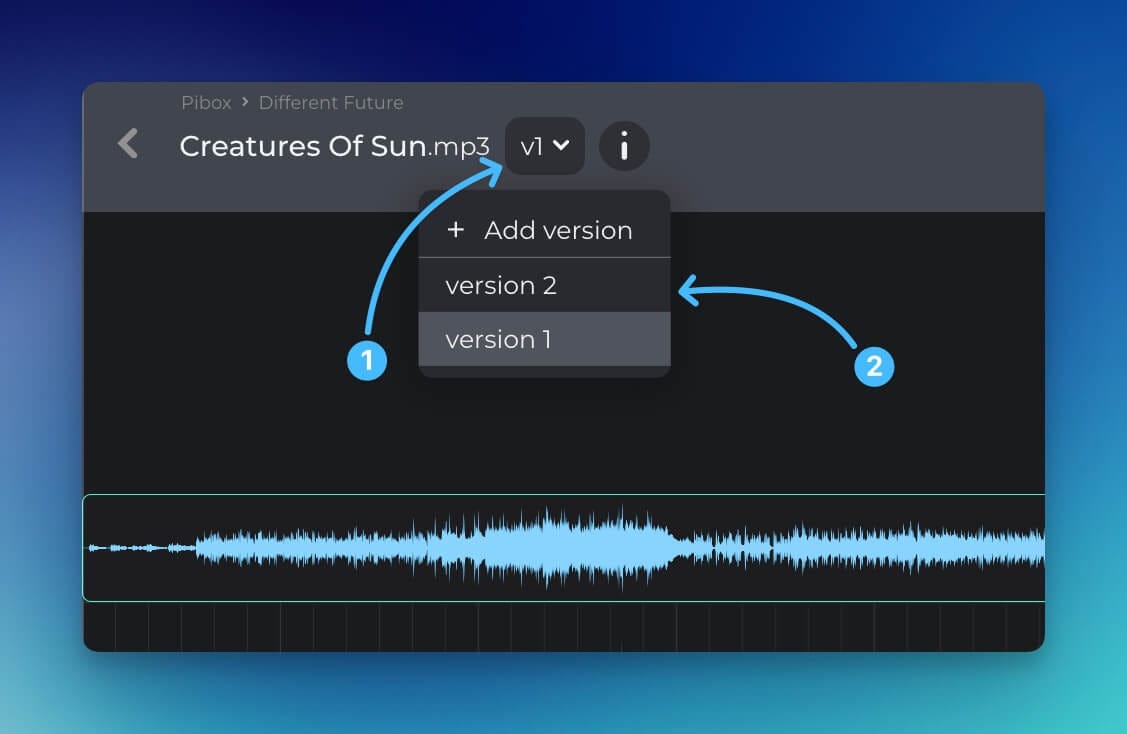
Everyone should be able to see at a glance which version is current, what changed since the last one, and what was approved. A file named campaign_final_v3_REV2 is version control that exists only in one person's head. When that person is on holiday, the process stops.
2. Comments anchored to the work itself
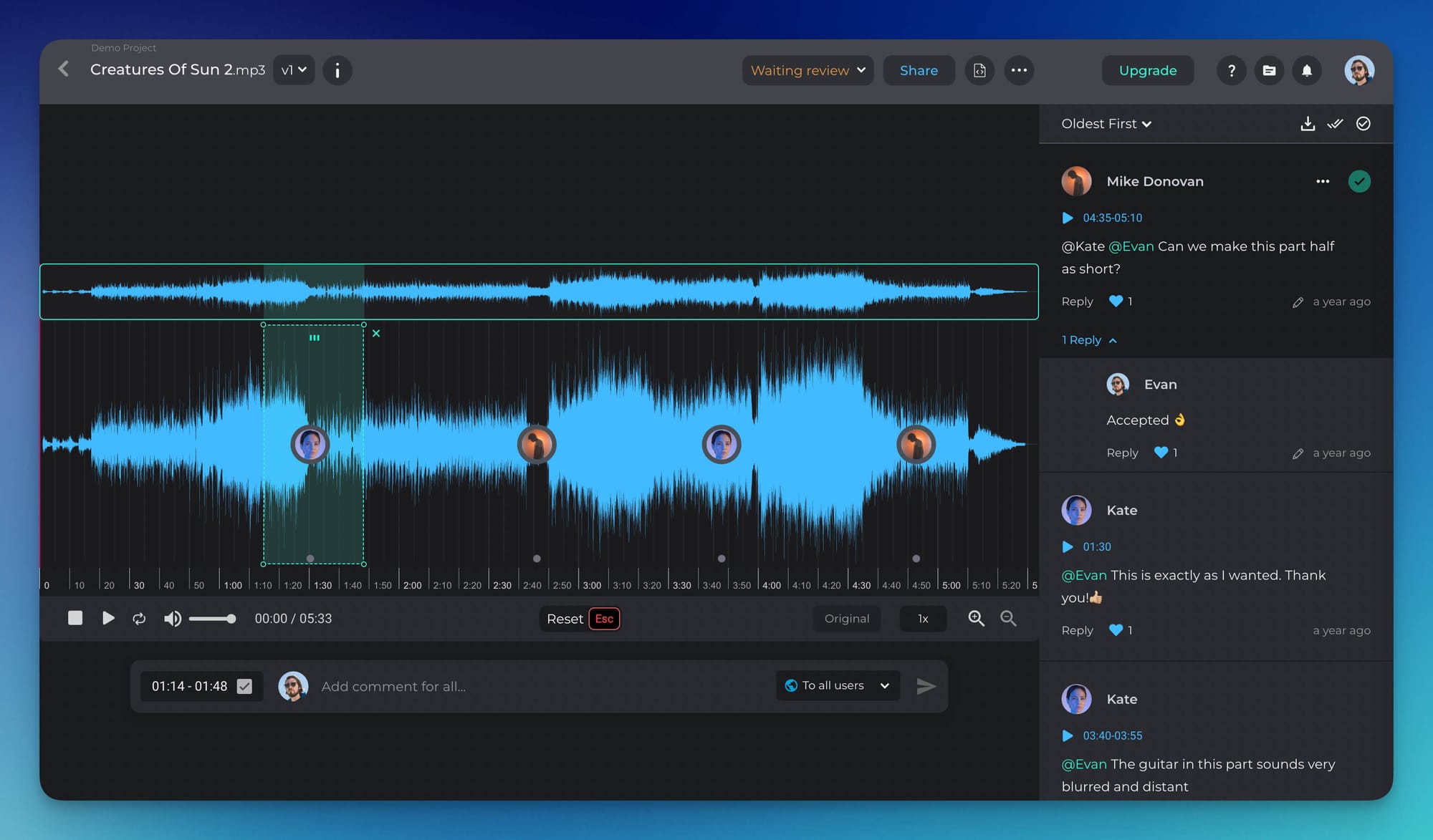
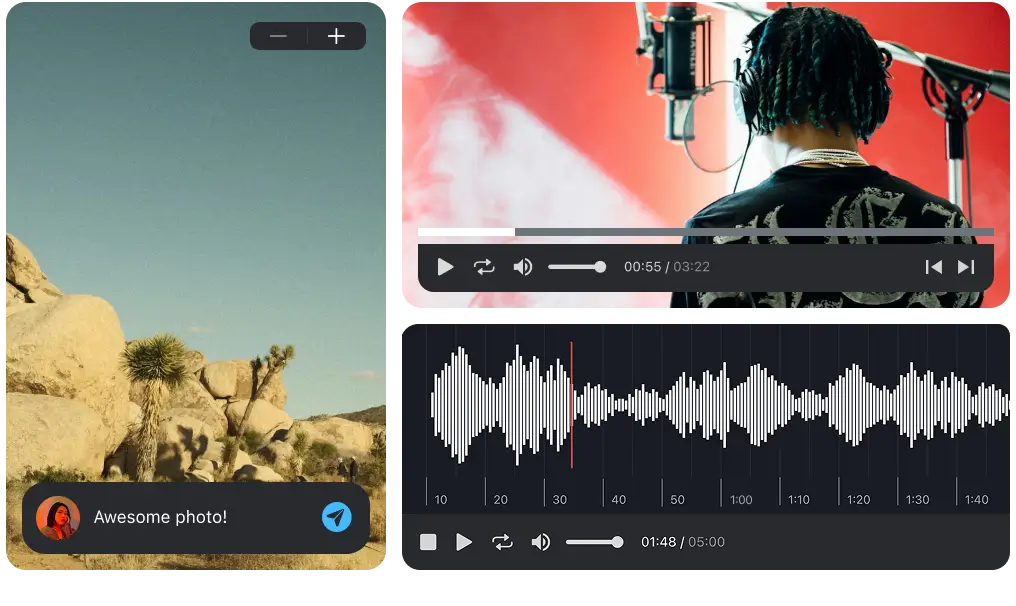
In video and audio, a note that isn't tied to a timecode is a note somebody has to go hunting for. "The transition at the start feels off" costs five minutes of searching; a comment pinned at 00:14 costs none. For images and documents, the equivalent is annotation on the artwork rather than a paragraph describing where to look.
3. A status that everybody reads the same way
Draft, in review, changes requested, approved. Four words, universally understood. This is the single feature most teams are currently simulating in a spreadsheet, and it is the one that removes the most email.
4. A view of what is waiting on you
Approval stalls because reviewers do not know they are the bottleneck, not because they are refusing. A cross-project list of "awaiting my review" fixes more delay than any notification setting.
5. Guest access without an account
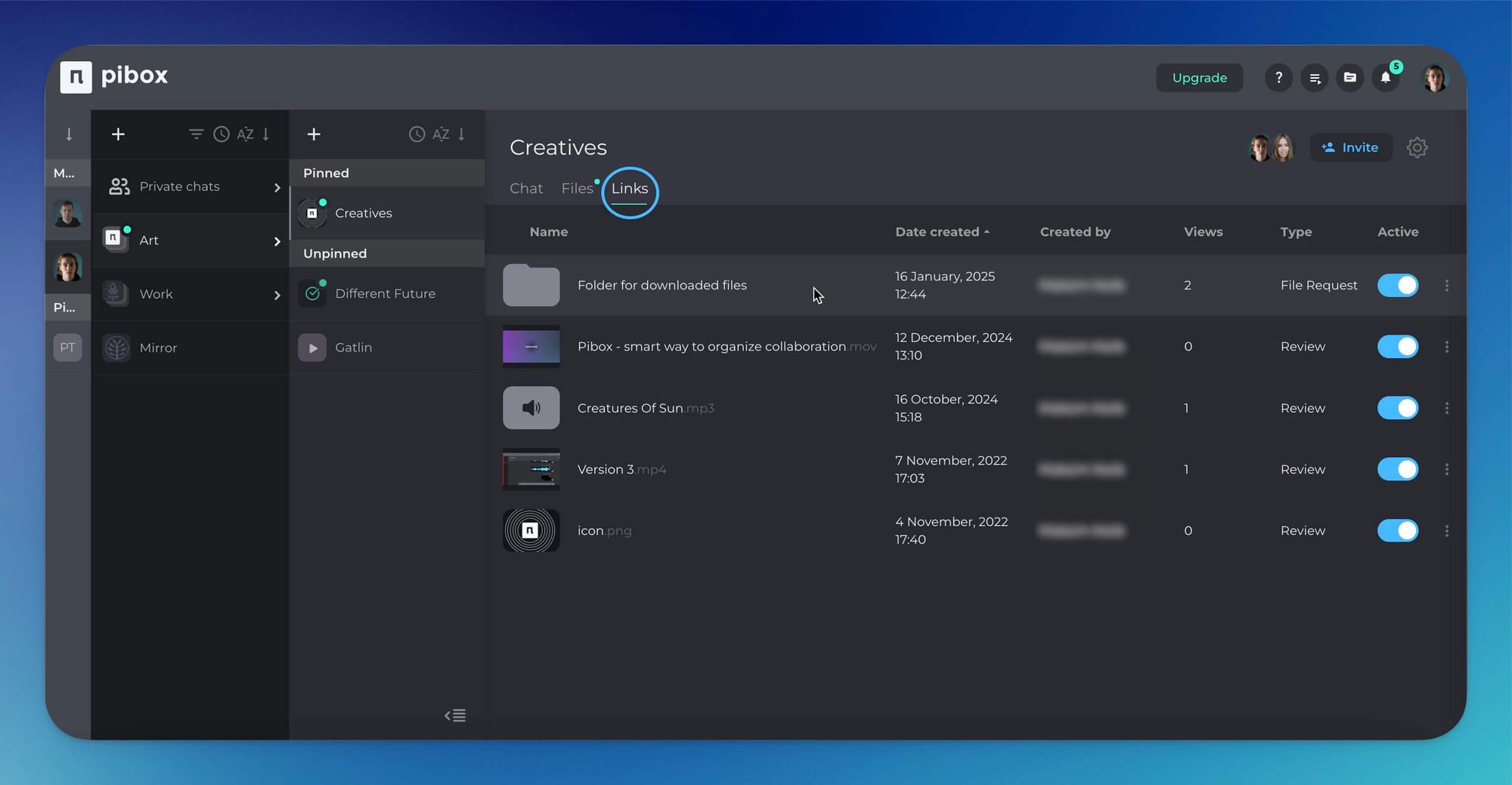
Clients, freelancers and legal reviewers will not create logins to leave one comment. If your approval step requires one, the approval will happen in email instead, and your tool becomes an archive of decisions made elsewhere.
Easier, faster way to collaborate in real-time, collect feedback, manage reviews, share, and finish your projects effortlessly.
Where approval breaks in practice
Four failure patterns, in rough order of how much time they cost.
Feedback arrives in three channels. Notes in email, notes in Slack, notes verbally on a call. Nobody is at fault and the result is still that one of the three gets missed. Consolidation is the core job of the tool; if it doesn't happen, nothing else matters.
Nobody knows whose turn it is. Sequential approval with no visible queue means every handoff has a silent gap in it. The work is not blocked by disagreement, it is blocked by ambiguity.
Approval is given on the wrong version. A client approves the file attached to Tuesday's email while the team has moved to Thursday's cut. This gets discovered at delivery, which is the most expensive moment to discover it.
The record disappears after delivery. Six months later somebody asks why a decision was made or who signed off. If the answer lives in a former employee's inbox, there is no answer.
Choosing by how your team is shaped
Small studio, a handful of clients. Prioritise guest access and frame-accurate comments. Skip anything with a permissions matrix and approval chains: you will not configure them, and the setup cost will kill adoption in week two.
Agency with a client-side sign-off. Prioritise a clear audit trail and separate internal versus external review rounds. Your bottleneck is not the creative round, it is the approval after it, and you need to be able to show what was agreed.
In-house team working with contractors. Prioritise handover, meaning whether a contractor can deliver work with its history rather than as a bare file. Teams discover this requirement about a quarter after they needed it.
Post-production and audio. Prioritise integration with the tools where the work is actually made. If review lives in a browser tab far away from the session, review happens late.
Where the category is heading
One shift is worth planning for, because it changes the shape of a review round.
Teams are increasingly reviewing work that comes in variants rather than versions. A generated sequence produces dozens of candidate outputs in the time a single cut used to take. That breaks the assumption underneath most approval tools, that a deliverable is one thing moving forward through stages. Reviewers now need to compare siblings side by side and record which one was chosen, along with what produced it.
Alongside that, provenance is becoming a formal requirement rather than a courtesy. Article 50 of the EU AI Act took effect on 2 August 2026, requiring output from generative systems to be machine-readably marked; California's SB 942 imposes parallel disclosure duties. Whatever your current exposure, the practical effect on approval is the same: legal reviewers are starting to ask where material came from, and that question arrives during sign-off.
You do not need to solve this today. You do need to avoid choosing a tool that treats every asset as an isolated file, because that is the assumption that will have to be undone.
Where Pibox fits
Pibox is a media collaboration platform built around review and approval. File status tracking, version control, comments tied to the moment they refer to, metadata tagging, file-request links and guest access for people outside the team, plus a cross-project view of what is waiting on you. Plugins are available for Pro Tools (AAX) and for Cubase and Nuendo (VST3) on macOS 12+ and Windows 10–11, so review sits next to the work rather than in a separate tab. Studios and production companies including Bleeding Fingers, Universal and Epidemic Sound use it to keep approval attached to the material.
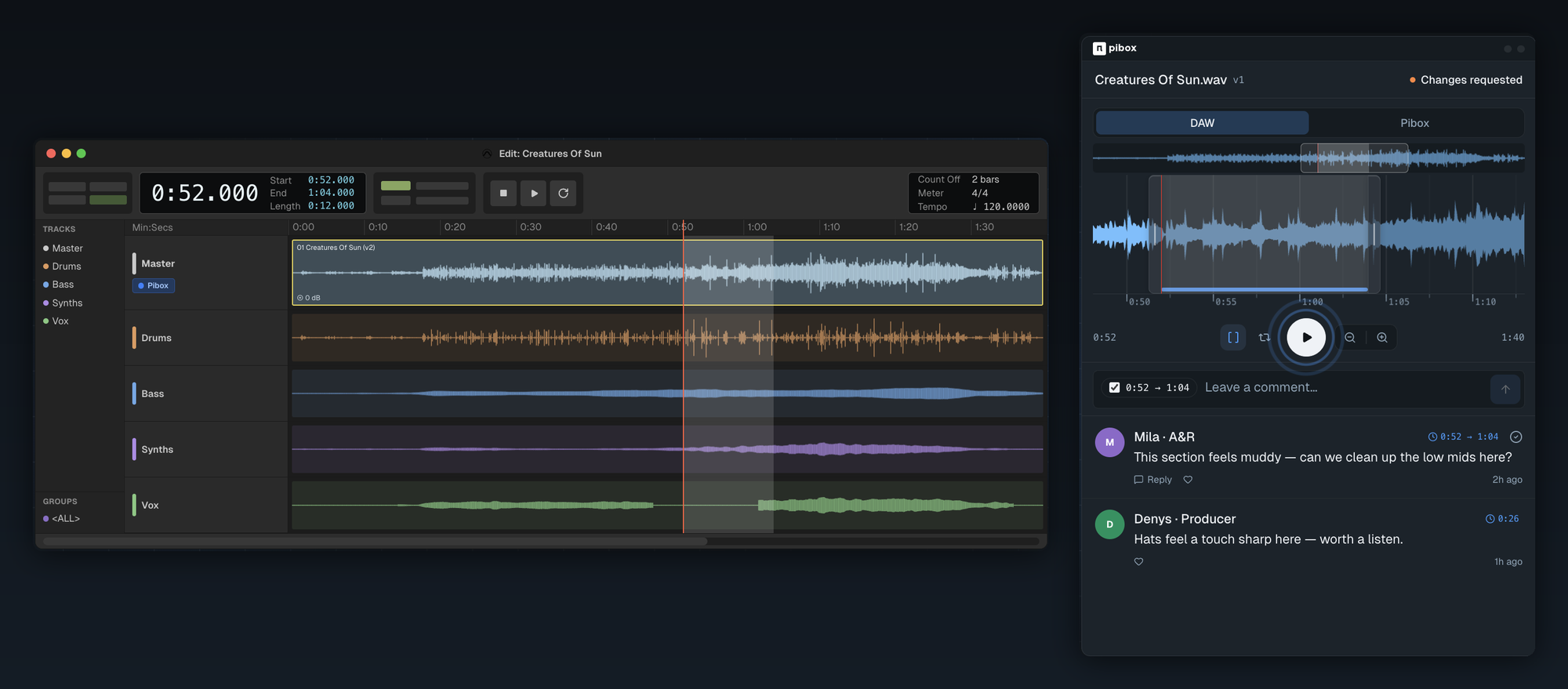
If approval currently happens in a chat thread and a spreadsheet, start with a free Pibox workspace and move one live project into it.
A test before you commit
Open the last project you delivered. Time how long it takes to answer three questions: which version did the client approve, what changed between that one and the one before it, and who said yes.
Under a minute means your process is fine and you need a tool that does not get in its way. Over five means the tool is not the problem you are solving: the missing record is.


