


Every media collaboration platform looks the same for the first ten minutes of a demo. Upload a file. Leave a comment. Share a link.
The differences show up three weeks later, when a mix comes back with fourteen notes, four of which refer to a version that no longer exists, and the client's approval is sitting in someone's inbox instead of in the project. By then you have already migrated the team.
The nine questions below are the ones that separate these platforms in production rather than in a demo. Each comes with a test you can run inside a free trial in under five minutes. Run them before you move anyone.

Why feature lists don't separate media collaboration platforms
Open any three vendors side by side and the feature pages are nearly identical: comments, versions, sharing, approvals, integrations. The words match. The implementations do not.
Almost every real failure in a media team's workflow comes from one of three places:
- Feedback that loses its context. A note arrives without a timestamp, or with one that points at a file that has since changed.
- Review that stops at the edge of your organisation. The people whose opinion decides the project are the ones who can't get in: client, label, supervisor, director.
- Files that become unfindable. Six months later nobody can locate the approved master or the conversation that approved it.
So the useful questions are not does it have X. They are what does it do when something changes. That is what the nine below are built to expose.
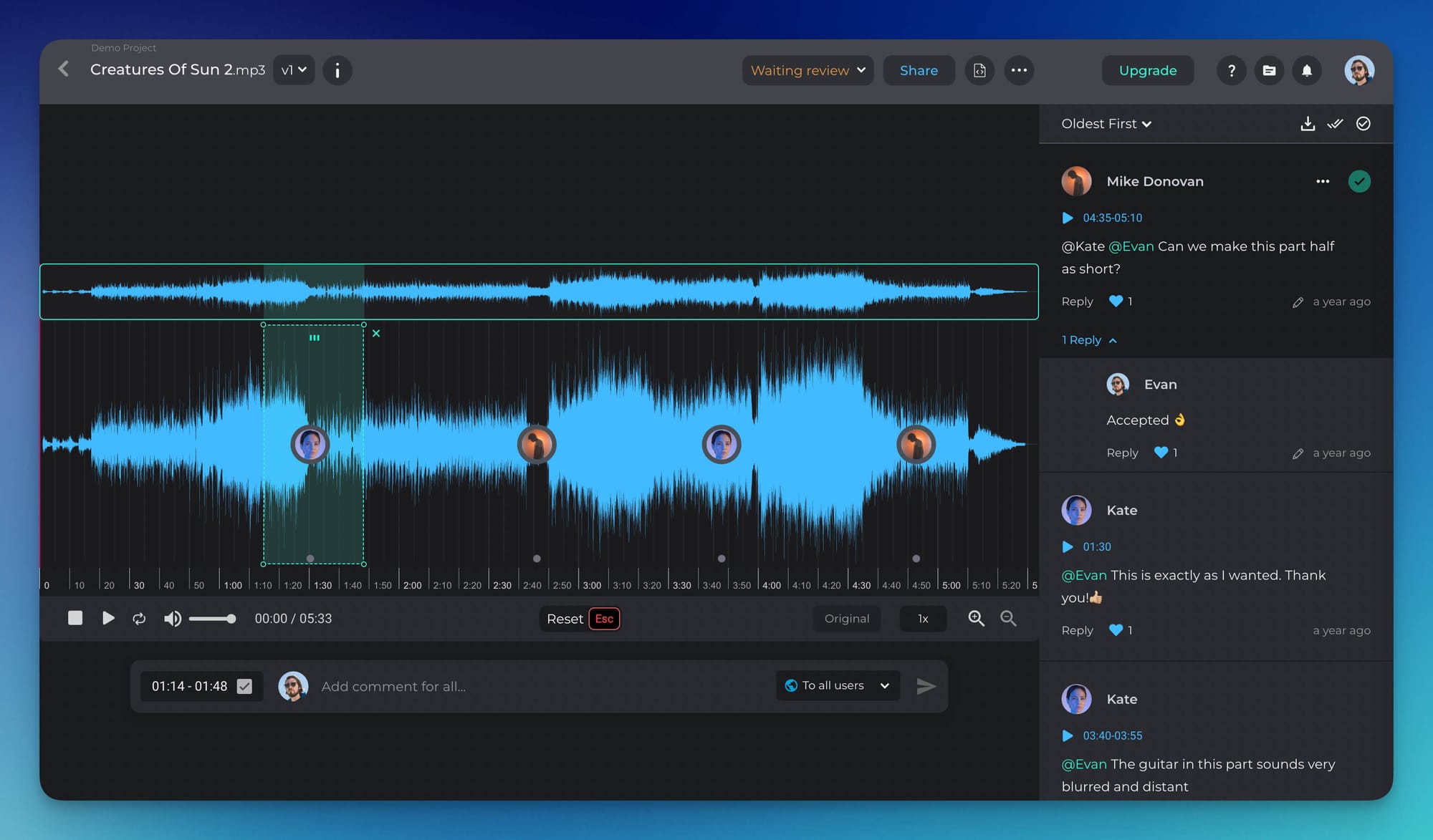
1. Can reviewers comment at an exact point in the timeline, and does the comment stay there?
"Fix the low end around the second chorus" costs the person on the other end ten minutes of hunting. A timestamp costs nothing. But the real question is what the timestamp is attached to: the file itself, or a line of text someone typed by hand.
What good looks like:
- Comments anchored to a timecode by the system, not typed in by hand as "at 1:24".
- Range comments as well as single points. Most problems have a start and an end.
- Clicking a comment moves the playhead to it.
- Comments visible on the waveform or timeline itself, so the file shows you where the discussion is concentrated.
- Timecode that matches the format you deliver in: minutes and seconds for music, SMPTE for picture.
- Somewhere for the note to go once you've read it. A comment is only half-useful in a browser tab; the loop closes when it reaches the session you fix it in. More on that in question 8.
How to test it: Upload a file, leave one comment at 1:12 and one range comment across 0:40–0:55. Open the same file as a different user, in a different browser. Are both in exactly the same place? Does clicking each one move the playhead?
2. Does the platform treat audio as well as it treats video?
Most tools marketed as media collaboration platforms are video review tools that accept audio files. They will play a WAV. They will not give you a waveform worth looking at, and without a waveform you cannot see structure: where the drop is, where the phrase turns, where the silence is supposed to be.
This is the single most common mismatch for audio and video collaboration in one team.
What good looks like:
- A real waveform, at zoom levels where bars and phrases are visible.
- Lossless upload and playback, not only a compressed preview.
- Long-form handled properly: a 50-minute podcast or a full album, not just 60-second clips.
- Stems and multitrack treated as related material, not as 12 unconnected uploads.
- Video review using the same comment model as audio, rather than a weaker second-class version of it.
How to test it: Upload a six-minute WAV and a 60-second video into the same project. Put the two review screens side by side. If the audio screen is visibly poorer, you are buying a video production tool and hoping it stretches.
3. What happens to existing feedback when a new version lands?
Version 4 arriving is the most common moment for feedback to disappear. Two patterns cause it: a new upload becomes a new file with no relationship to the old one, or versions stack correctly but comments do not travel with them.
What good looks like:
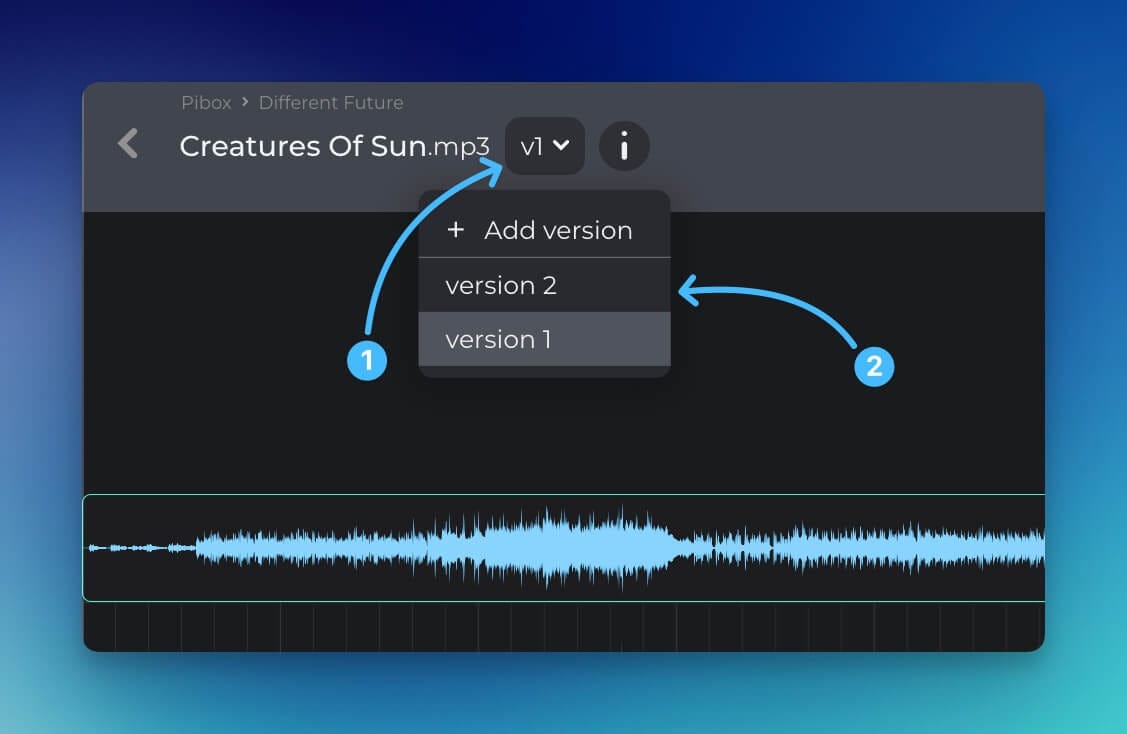
- Versions chained under a single file identity, with one stable link.
- Earlier versions' comments still readable and attributed, clearly labelled with the version they belong to.
- Direct comparison between two versions.
- The share link you sent last week resolving to the current version, not to a dead one.
- A visible record of what changed and who uploaded it.
How to test it: Upload v1, collect two comments, then upload v2 as a new version of the same file. Now open the link you shared before v2 existed. Does it show v2? Can you still read the v1 notes, and can you tell which version each note is about?
4. Can people outside your company review without creating an account?
External feedback is most of the feedback. The client, the label A&R, the music supervisor, the director, the mastering engineer. Almost none of them work for you, and almost none will create an account to leave one note.
If reviewing requires a signup, they will reply by email instead. At that point you are the integration: copying their notes into the platform by hand, with the timestamps you guessed.
What good looks like:
- Guests review through a link, with no account, no install and no app download.
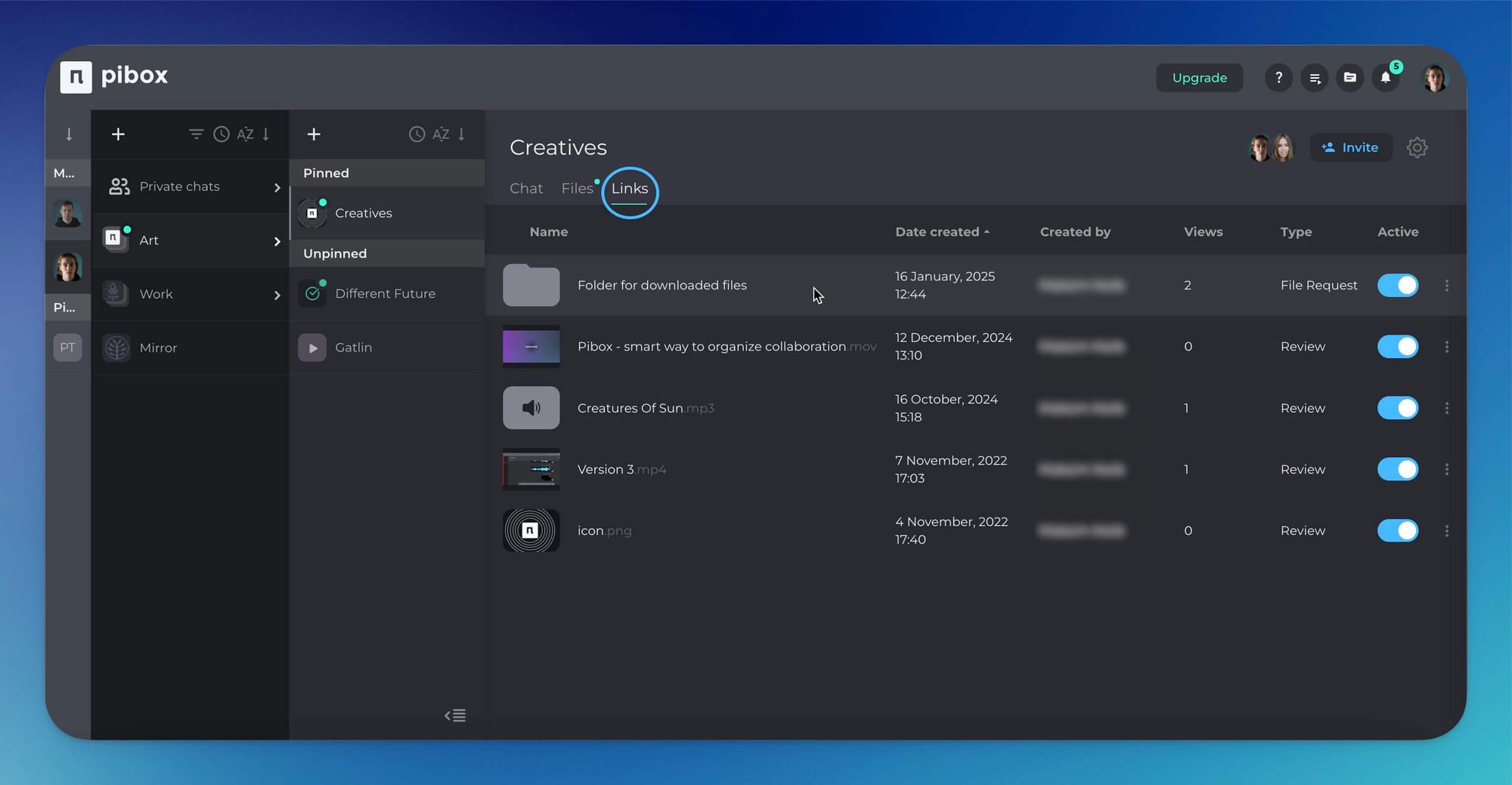
- Guest access scoped to a file or folder rather than the workspace, with expiry and optional password.
- The inbound direction too: a way for outside contributors to send you files without seeing each other's, and without a Dropbox request thread.
- Guests who do not consume paid seats.
How to test it: Send a review link to a personal address you never use for work. Open it in a private window. Count the steps before you can leave a timestamped comment. Two or fewer is good. Four means your clients will email you instead.
5. Is "approved" a state in the system, or a sentence in an email?
This is the most expensive question on the list. If approval lives in an inbox, then "is the album delivered?" is a question answered from memory. Statuses turn a project from a feeling into something you can look at.
What good looks like:
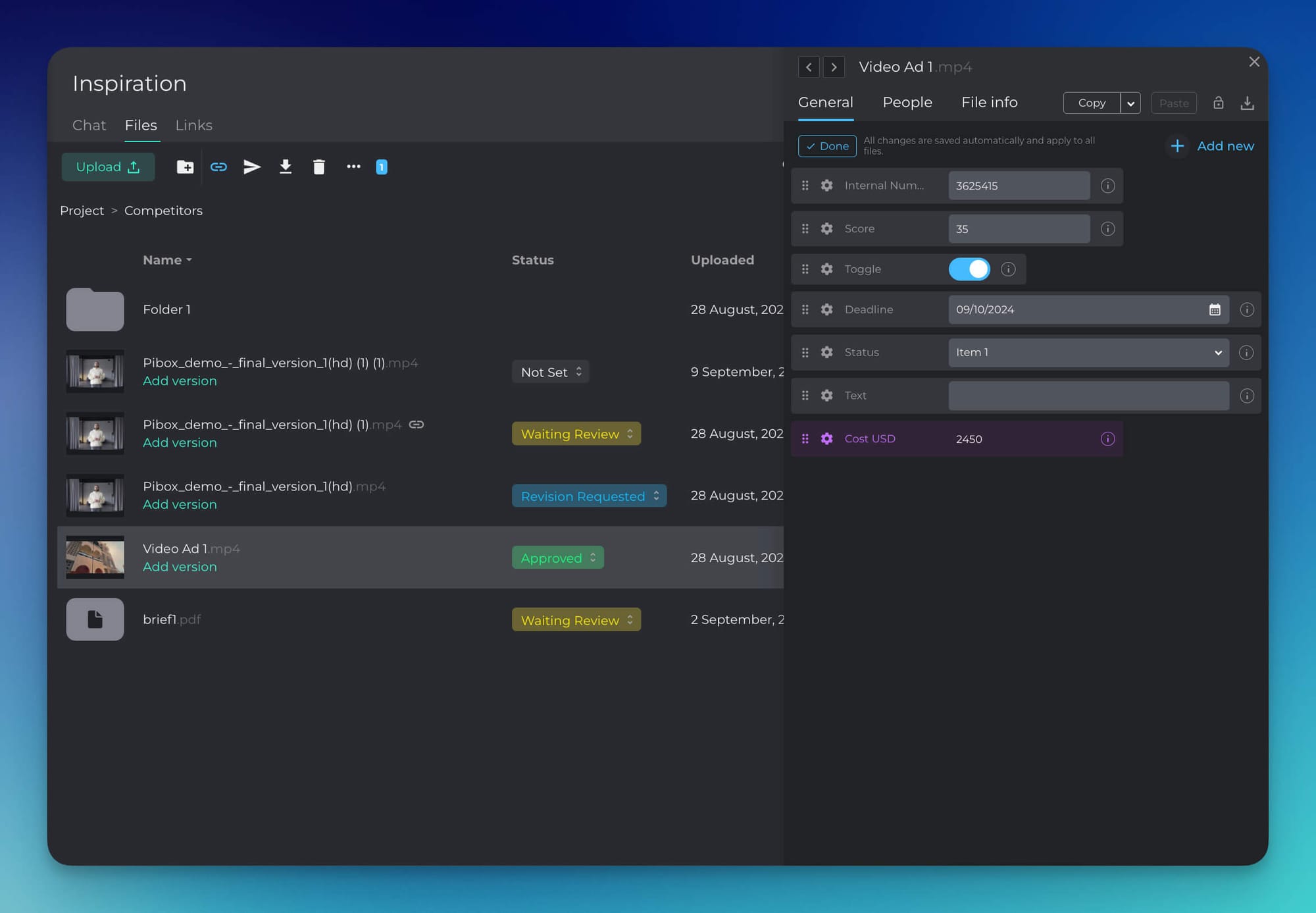
- Explicit per-file states, visible in the file list without opening anything: in review, changes requested, approved.
- A record of who approved and when.
- Filtering by state across a whole project, so "what is still open?" is one click, not an audit.
- Comment resolution tracked separately from file approval. A resolved note is not a delivered file.
How to test it: Set up ten files. Approve three, request changes on two, leave the rest untouched. Now produce a list of everything not yet approved, in one action. If you can't, someone on your team will end up maintaining that list in a spreadsheet, and that spreadsheet will be wrong.
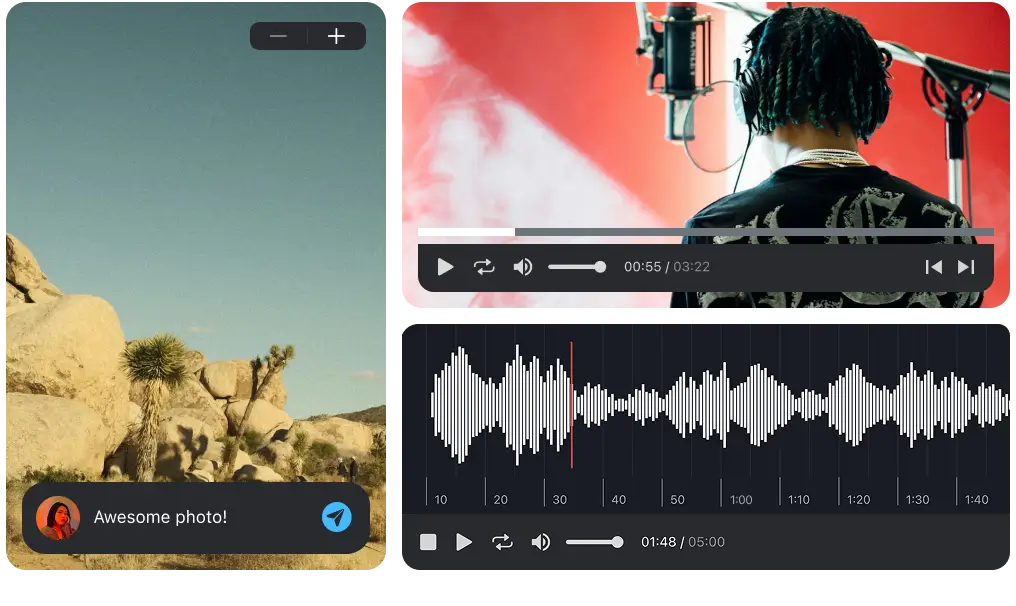
Easier, faster way to collaborate in real-time, collect feedback, manage reviews, share, and finish your projects effortlessly.
6. Who can download this, and can you take it back?
For unreleased material, sharing is the vulnerable moment. Most platforms treat download as the same permission as playback, and most links live forever by default.
What good looks like:
- Download separated from playback, so someone can listen without keeping a copy.
- Link expiry, passwords, and revocation that actually cuts access after the fact.
- Roles and permissions set per project or folder, not one workspace-wide switch.
- An access log: who opened what, and when.
- A named security standard rather than the word "secure". ISO 27001 is a fact; "bank-level encryption" is a phrase.
How to test it: Share a file with download disabled, then revoke the link and refresh the guest window. Access should stop immediately, not at the next login.
7. Will you find this file, and its feedback, in six months?
Most reviews get searched later, not sooner: a sync request, a re-cut, a rights question, a client who wants the version from before the last round of notes. Folder names are not metadata, and "Final_v3_MASTER_new" is not an archive strategy.
What good looks like:
- Custom metadata fields you define (BPM, writer splits, cue number, client, ISRC), not a fixed schema someone else chose.
- Search across metadata and comment text, not just file names.
- Saved filtered views for the questions you ask repeatedly.
- Export, by spreadsheet or API. If you cannot get the catalogue out, everything you build in there is rented.
- Automatic tagging that helps without blocking manual correction.
How to test it: Upload twenty files, tag five with a custom field, then find those five by that field alone. Export the result. If export isn't available, assume the archive is not yours.
8. How many places does the work actually live in?
The problem in most media team workflows is not one bad tool. It is six adequate ones. Notes in the review platform, decisions in WhatsApp, files in Drive, approvals in email, deadlines in a spreadsheet, references in a DM. Every handoff between them is a place for context to fall out.
A platform earns its place by removing tools, not by adding a seventh. There are two directions to check.
Does it absorb the side conversations?
If a platform holds files but not conversation, the conversation goes somewhere else, and the decisions go with it.
What good looks like:
- Project chat and private chat in the same place as the files they refer to.
- Mentions that reliably notify the right people, including on mobile.
- Threaded replies on comments, not a flat list where a follow-up looks like a new note.
- A mobile app that can genuinely review (listen, comment, approve), not just push notifications.

Does review reach the tool you actually work in?
This is the question almost nobody asks in a trial, and it is where the most time leaks. In the standard loop, a mix leaves your session as an export, gets uploaded, gets commented on in a browser, and the comments get read in a second window and translated back into the session by hand. Four context switches per round, several rounds per project.
A plugin closes that loop. Not every team needs one, but if your work starts in a DAW or an NLE, it is worth more than most of the features on the comparison page.
What good looks like:
- The platform ships a plugin in the formats your host actually loads (AAX for Pro Tools, VST3 for Cubase and Nuendo), on both macOS and Windows.
- A bounce that lands in the project versioned, without an export-upload-rename detour.
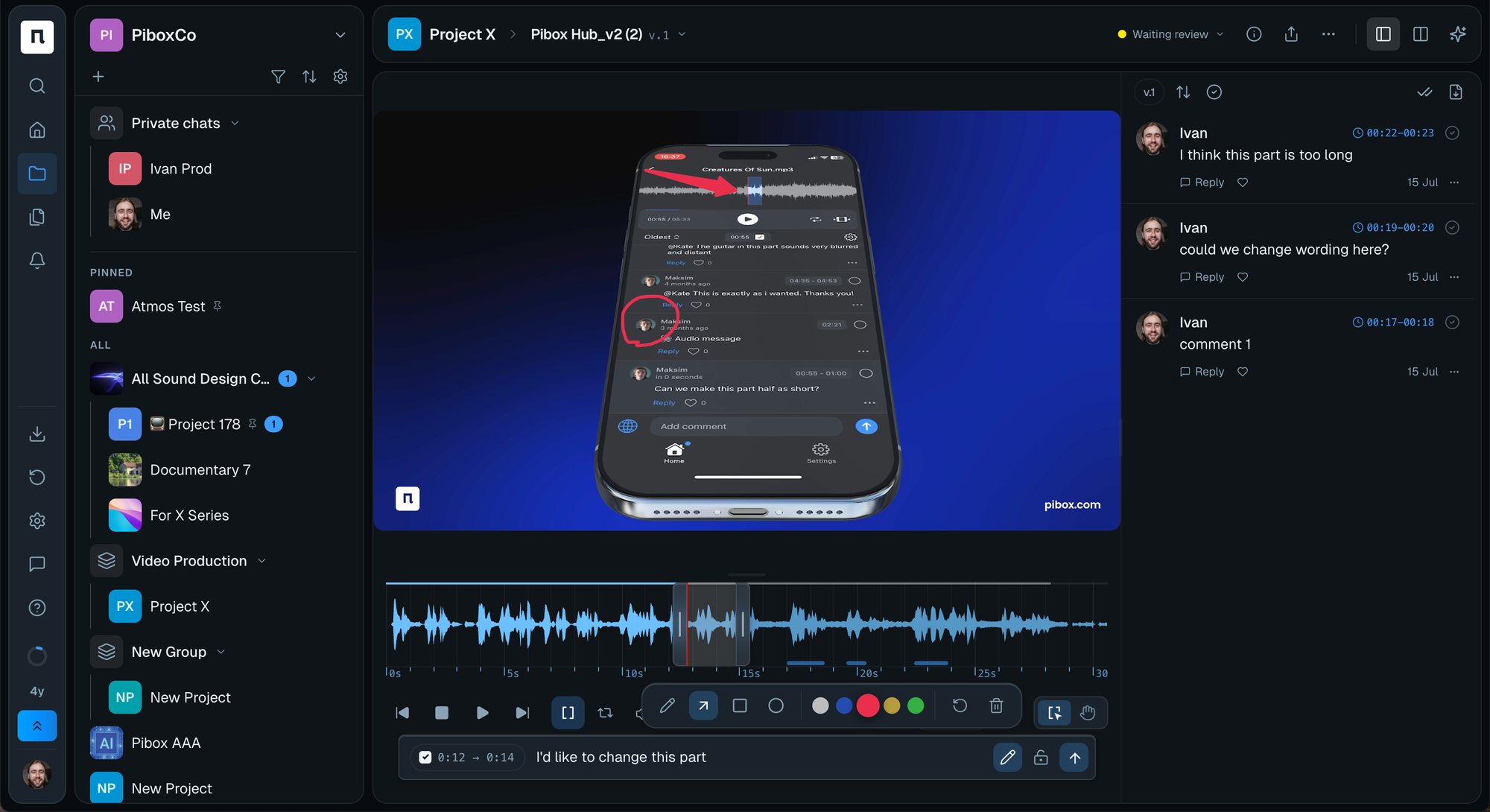
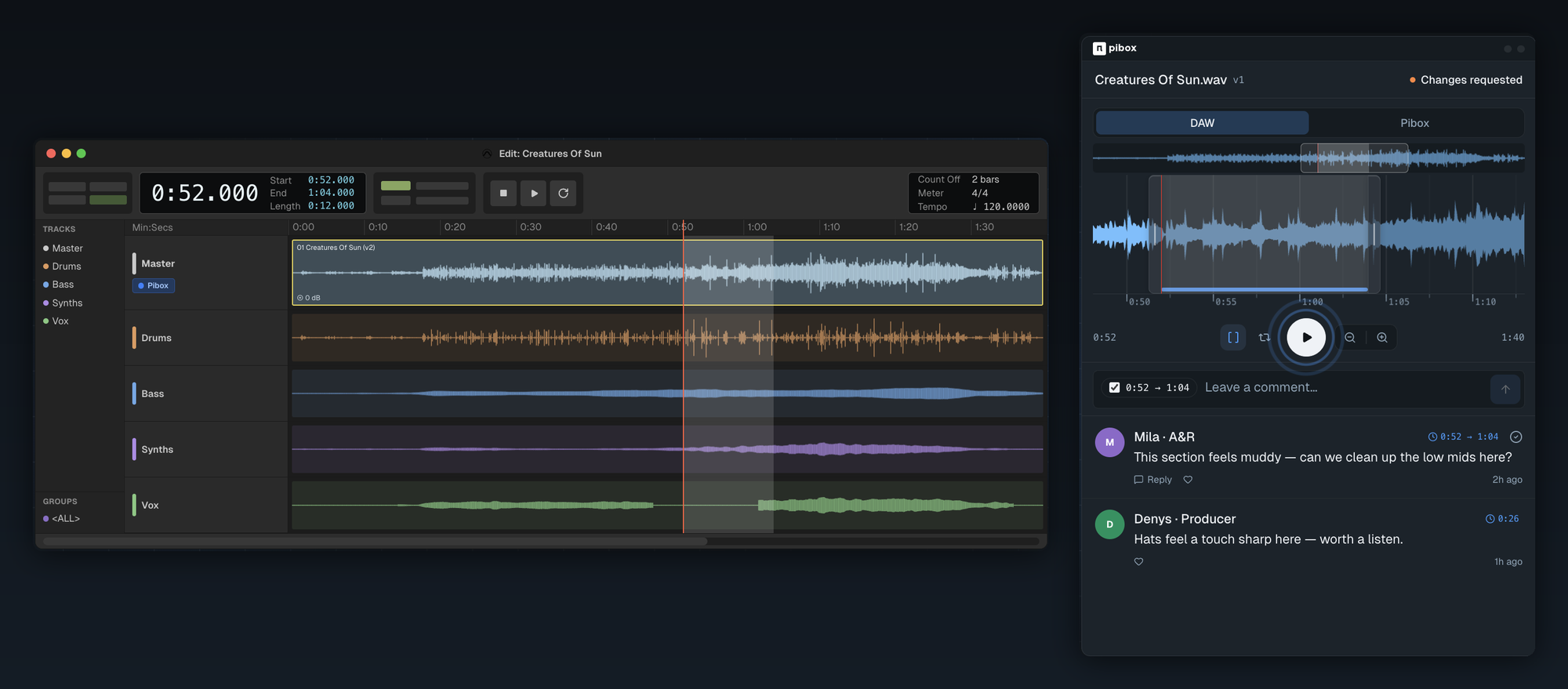
- Reviewer comments arriving on the timeline inside the session, so you audition a note against your live mix rather than against a bounce in a browser tab.
- Version comparison in sync, so you can A/B the fix against the take the note was written on.
- The plugin acting as a full client (browse the project, preview, drag a file into the session) rather than an upload button.
Pibox is one of the few platforms in this category that does this: the Pibox plugin installs into Pro Tools, Cubase and Nuendo on macOS and Windows, and is included with the account rather than sold separately.
How to test it: Take one real project and force it to run entirely inside the candidate for a week. Count how many times you had to leave: for a conversation, for a file, for an approval, or to move audio in and out of your session. That number is the real integration cost, and it is never on the pricing page.
9. What does it cost when the project doubles?
Pricing pages are written for the team you have today. Costs scale with the people you don't control (guests, clients, freelancers) and with formats that don't compress.
What good looks like:
- Reviewers and guests free or close to it. If every client costs a seat, the tool will quietly get used less.
- Storage priced predictably, with a clear picture of what lossless masters and video dailies do to it over a year.
- Options beyond per-seat, for teams that scale by project rather than by headcount.
- No feature gate on the things you just tested. Versions, statuses and metadata belong on the tier you can actually afford.
- A stated offboarding path: what happens to files, comments and approvals if you stop paying.
How to test it: Price the platform three ways: your team today, your team plus ten external reviewers, and your team at double size with a year of lossless deliverables. Compare the third number, not the first.
A scorecard you can run in one sitting
Score each question 0, 1 or 2. Zero means no. One means yes with a workaround. Two means yes without one.
| # | Question | 0 | 1 | 2 |
|---|---|---|---|---|
| 1 | Time-coded comments that stay anchored | |||
| 2 | Audio handled as well as video | |||
| 3 | Feedback survives new versions | |||
| 4 | External review without an account | |||
| 5 | Approval is a state, not an email | |||
| 6 | Download control and revocation | |||
| 7 | Findable in six months, and exportable | |||
| 8 | One place for conversation and for your session | |||
| 9 | Cost holds at double the size |
Read it like this:
- 14–18. This will survive contact with a real project.
- 10–13. Workable, but budget for the workarounds. Note which questions scored low; those are the ones that will cost time every week.
- Under 10. It demoed well. It will not hold.
Two adjustments worth making. If most of your reviewers are outside the company, double the weight of questions 1, 4 and 6. If you are running a catalogue rather than a handful of active projects, double question 7.
How Pibox answers these nine questions
Pibox is built around audio and video review as the primary job, rather than as a feature added to file storage. Concretely, against the list above:
- Time-coded comments on both audio and video, anchored to the file and visible on the waveform, public or private.
- Lossless media upload, so review happens on what you actually delivered.
- Version chains with side-by-side comparison, so feedback keeps its context as revisions land.
- External review by link, plus file requests for collecting material from outside contributors without exposing anything else.
- Approval states and feedback mode, with filterable project views for "what is still open".
- Custom metadata forms with export by spreadsheet or API, so the archive stays yours.
- Team and private chats with mentions, and an iOS app that reviews rather than just notifies.
- A plugin that runs inside the DAW. AAX for Pro Tools, VST3 for Cubase and Nuendo, macOS and Windows. Bounce from the session and it arrives in the project versioned; reviewer comments come back pinned to the timecode inside the plugin, where you can A/B the fix against the version the note was written on. It is included with the account, not a separate purchase.
- ISO 27001 certification, private by default, with expiring links and per-role access.
- An AI-agnostic approach that connects to Google AI, Harmix, AudioShake and Roex rather than locking you into one.
The honest framing: if your work is 90% video and 10% audio, a video-first platform may still be the right answer. If audio is central (music, post, podcast, cue delivery), questions 1, 2 and 8 are where most general-purpose tools quietly fail, and that is the gap Pibox was built for.
Frequently asked questions
What is a media collaboration platform?
A media collaboration platform is a shared workspace where audio and video teams upload work-in-progress files, collect time-coded feedback on them, manage versions, and record approvals. It differs from cloud storage in that the file is a place where a conversation happens, not just an object to be downloaded.
What is the difference between a media collaboration platform and cloud storage?
Cloud storage answers "where is the file". A media collaboration platform answers "what did people say about it, which version were they talking about, and has it been approved". If your team is pairing Dropbox or Google Drive with an email thread and a spreadsheet, you are already using a media collaboration platform, just an unreliable one assembled by hand.
Do media collaboration platforms work for both audio and video?
Some do. Many are video-first tools that accept audio files without giving them a usable waveform, lossless playback, or long-form handling. The fastest way to tell is to upload a long audio file and a short video into one project and compare the two review screens directly.
Can clients review files without creating an account?
On a well-designed platform, yes: a link opens the file in a browser and allows a timestamped comment with no signup and no install. This matters more than it sounds: reviewers who are forced to register usually reply by email instead, which puts the feedback back outside the system.
Which media collaboration platforms work inside a DAW?
Very few. Most run entirely in the browser, which means every round of feedback costs an export, an upload and a manual translation of notes back into the session. Pibox ships a plugin for Pro Tools (AAX) and for Cubase and Nuendo (VST3) on macOS and Windows, so a mix can be bounced straight into the project and reviewer comments come back pinned to the timecode inside the session. If your work starts in a DAW, ask about plugin formats and host support specifically. "Integrations" on a feature page usually means cloud storage, not your session.
How many tools should a media team run?
Fewer than you currently do. The practical target is one place for files, feedback, versions, approvals and project conversation, and a deliberate handoff to whatever your accounting and scheduling live in. Every additional tool in the creative loop is another place where a note can be left and never seen.
Final thoughts
Choosing a media collaboration platform is not really a feature comparison. Every serious product on the market has comments, versions and sharing on the page.
What separates them is behaviour under change: when a version replaces another, when a reviewer is outside the company, when someone needs the approved master a year later. Nine questions, each with a five-minute test, will tell you more than a month of demos. Run them on your own files, with your own clients, before you move the team.


