


In today’s fast-paced creative world, inspiration rarely waits, and neither does the deadline. Ideas can hit on set, backstage, in a taxi, or during a late-night studio run, and more often than not, you don’t have time to get back to a desk. That’s why the fully updated Pibox iOS app is a game-changer. It lets you capture ideas and manage your entire creative workflow from your phone, so you can act on inspiration and move projects forward even when you’re on the go.
Collaboration can and should be mobile. With the Pibox iOS app, you can upload, review, comment, approve, and chat with your team — all without needing a laptop or desktop computer. Whether you’re a music producer, sound designer, or creative director, Pibox keeps your entire workflow in sync across devices, making creative collaboration faster and simpler than ever.
What is the Pibox iOS app?
Creative professionals juggle multiple tools and platforms every day: cloud storage, chat apps, emails, PDFs, and endless file versions. This fragmentation slows everything down.
Pibox was designed to unify the creative process, centralizing files, feedback, and communication in one place. And now, with the iOS app, that unified workflow goes fully mobile, creating a full ecosystem tailored for your needs.
The new Pibox iOS app brings the power of professional collaboration into your pocket, which is ideal for audio teams, video editors, designers, and post-production studios that need to stay connected wherever they are.
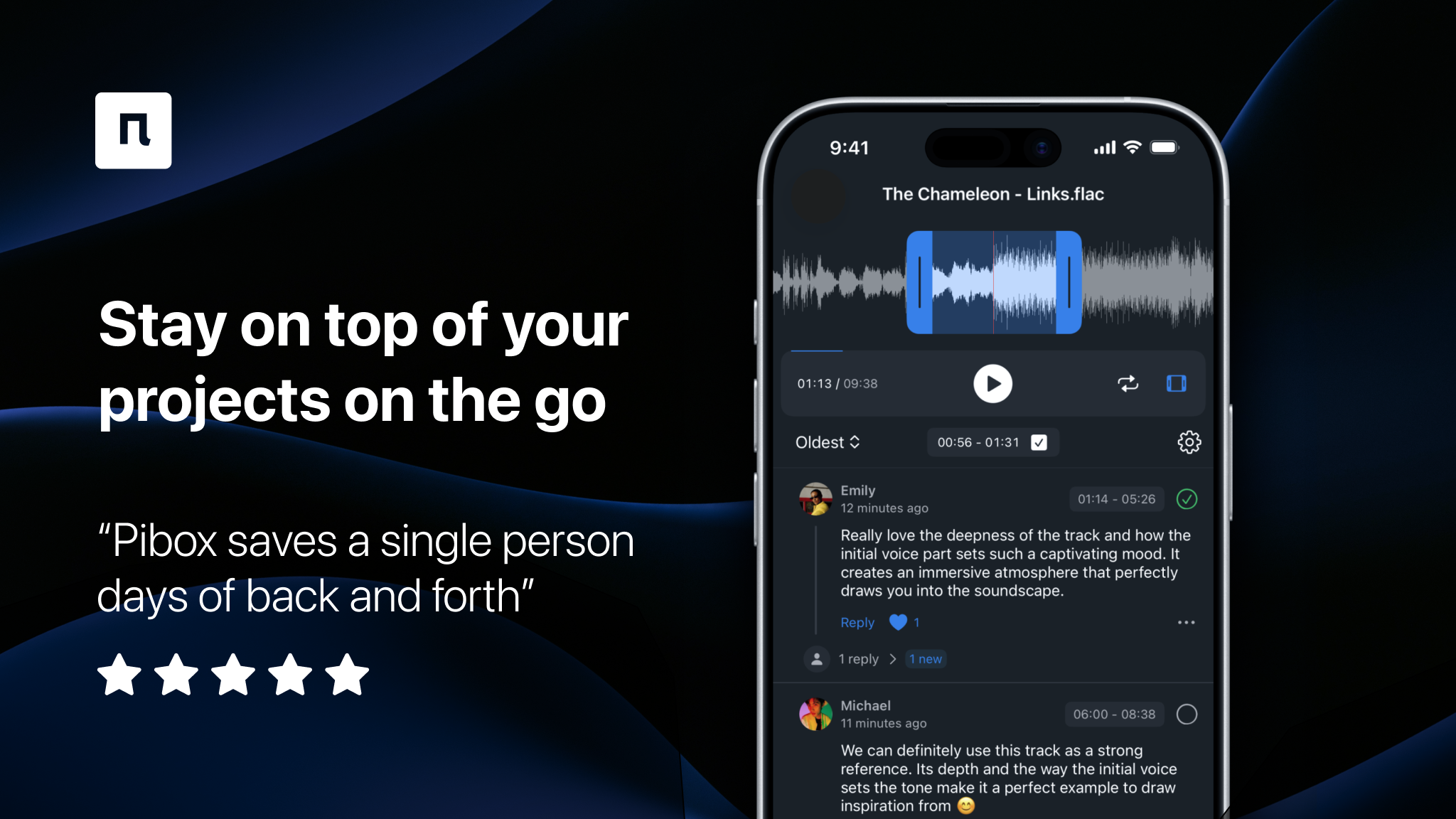
Get Pibox on iPhone
Upload audio, video, and images, leave time-stamped comments, and approve deliverables wherever you are.
What you can do with the new Pibox iOS App
The updated app brings the core power of Pibox to iPhone with a smooth, modern interface and essential features optimized for creative collaboration on the go.
Here’s what you can do:
- Upload files instantly – Add audio, video, images, or other files from your iPhone’s Media Library or Files.
- Give precise feedback – Leave time-stamped comments on the exact moment (or section) that needs changes.
- Monitor project progress – Check file statuses and approvals at any time.
- Chat with your team – Discuss feedback and share quick updates directly inside your projects.
- Enable push notifications – Stay informed about new uploads, comments, and file changes in real time.
- Seamlessly switch between web and mobile – Start your review on desktop, finish it on iPhone, and never lose context.
Manage creative workflows right from your pocket
Picture this: a music producer in transit remembers a mix note that needs fixing. With Pibox on iOS, they open the project, listen, drop a comment at the exact timestamp, and tag the engineer. Just like that, all done before arriving at the studio.
For video editors, sound designers, and creative leads working across multiple locations, this means no more waiting to get back to your desk to give feedback or approve deliverables. The Pibox app syncs seamlessly with your web account, ensuring that every file, comment, and update stays aligned in real time.
Pibox: The creative workflow ecosystem
The Pibox iOS app is more than just a mobile tool — it’s part of a complete ecosystem built for professional creative collaboration.
Centralized file feedback + status control
Instead of juggling file links, chat threads, and messy email chains, Pibox keeps everything unified. Files live in organized projects, comments are pinned to exact moments in the timeline, and statuses track progress from draft to final delivery.
Designed for creative teams
From waveform commenting to version comparison, every feature in Pibox is built around how creative professionals actually work. The iOS app brings this workflow wherever you go — without losing any of the nuance that makes collaboration effective.
Scalable for teams of any size
Whether you’re a freelancer or part of a 100-person music production studio, Pibox adapts to your workflow. Built-in chat, version tracking, and user roles make it the central hub for creative teams worldwide.
How to collaborate using the Pibox iOS App
Let’s explore some of the key mobile workflows that make collaboration effortless.
Upload files in seconds
- Open the Pibox app and select your project.
- Tap Upload and choose a file from your iPhone’s Media Library or Files.
- The file appears instantly in your project for others to review.
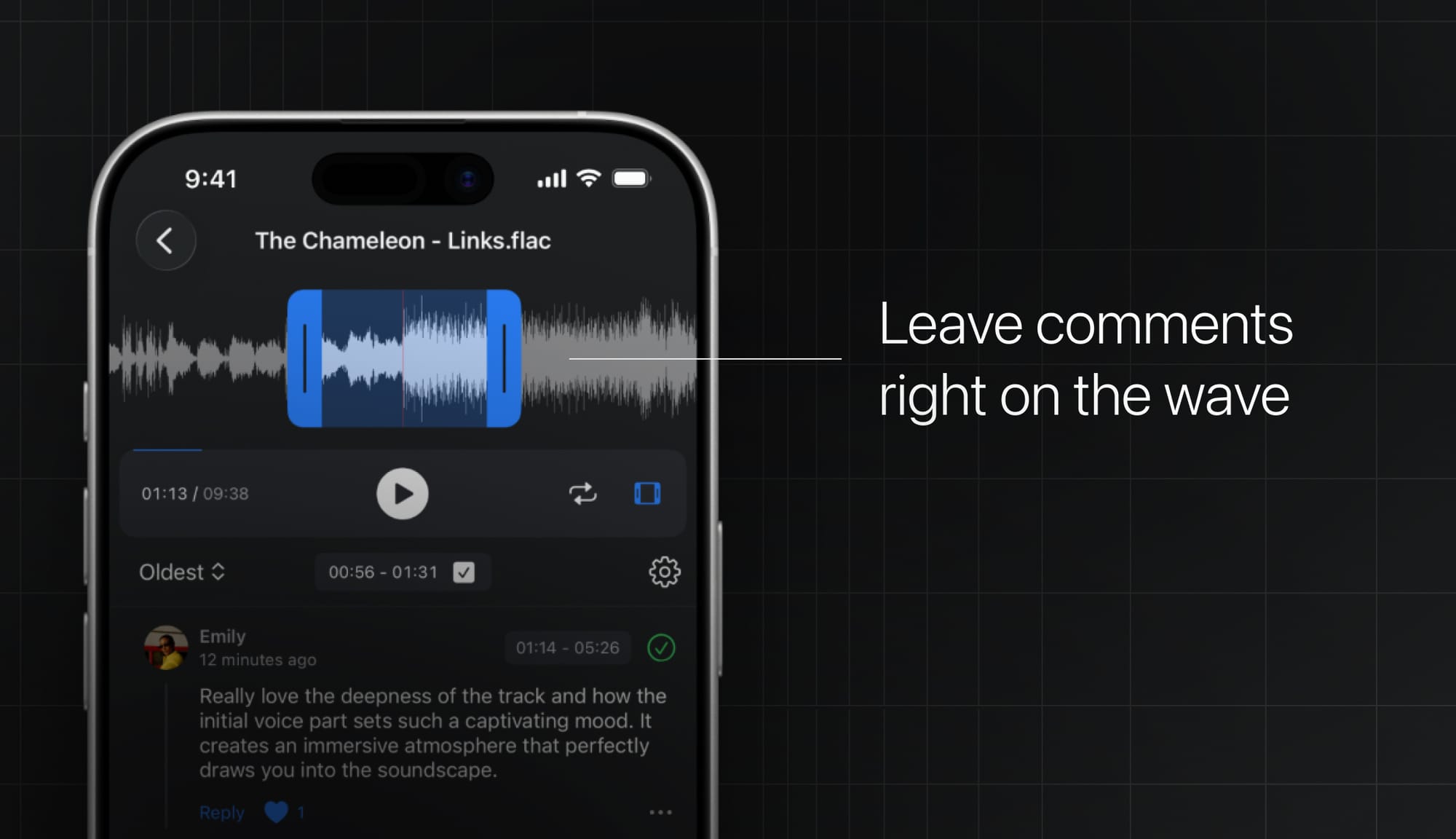
Leave time-stamped comments
Drop feedback directly on the timeline so your team can jump to the exact second, understand the context, and make changes faster with fewer revisions.
Invite team members
- Inside a project, tap the (+) icon.
- Generate an invitation link for members or guests.
- Share it via messenger or email, and they’ll join instantly.
Simple as that!
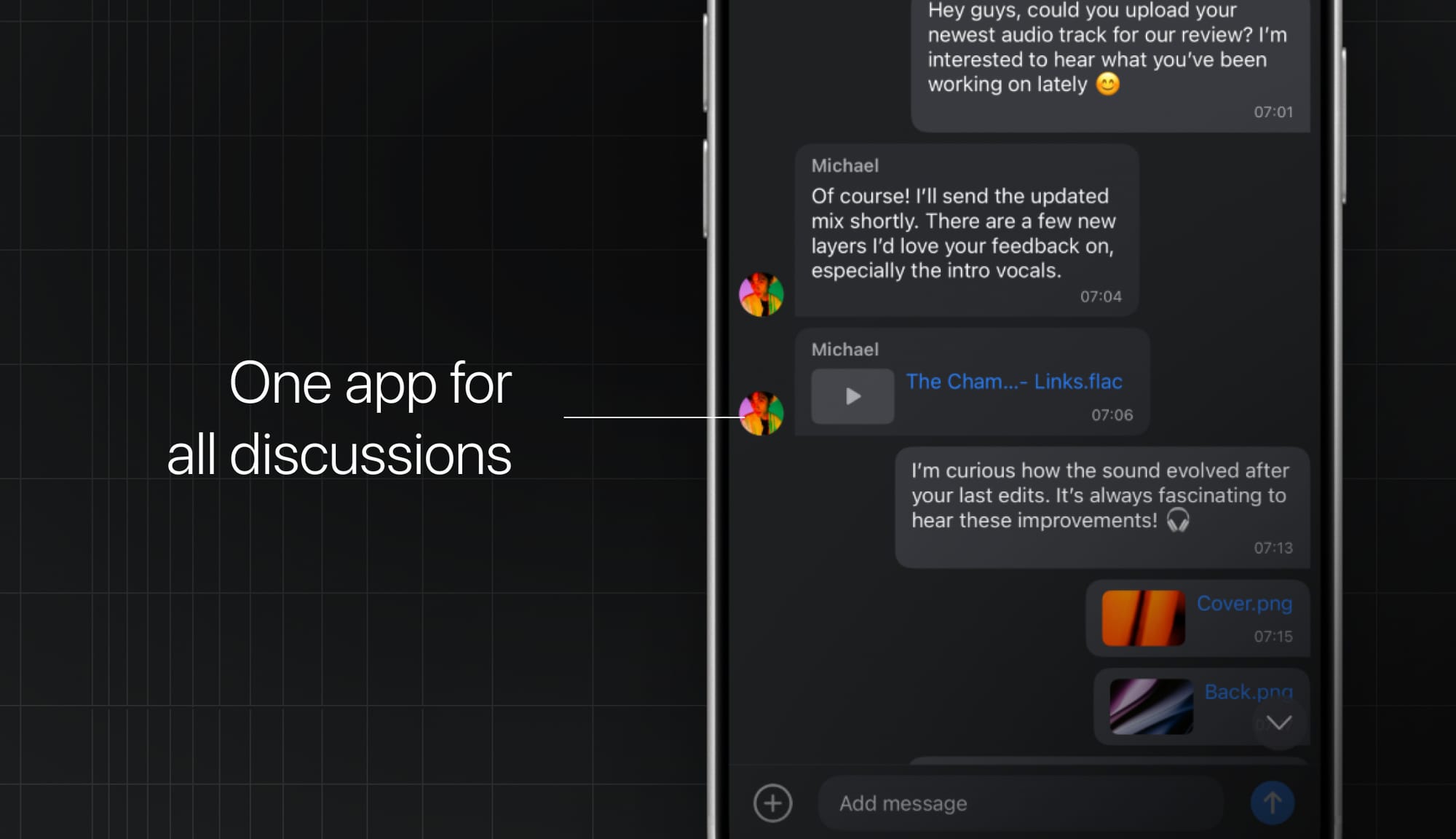
Chat and stay connected
Collaborate in real time using Public Chats inside each project.
If your team is on a Team Plan, you can also use Private Chats (created on the web) for focused discussions.
Create groups and projects
Set up your creative spaces right from your phone:
- Tap the (+) icon inside your team area.
- Name your new Group or Project.
- Tap Create and start uploading right away.
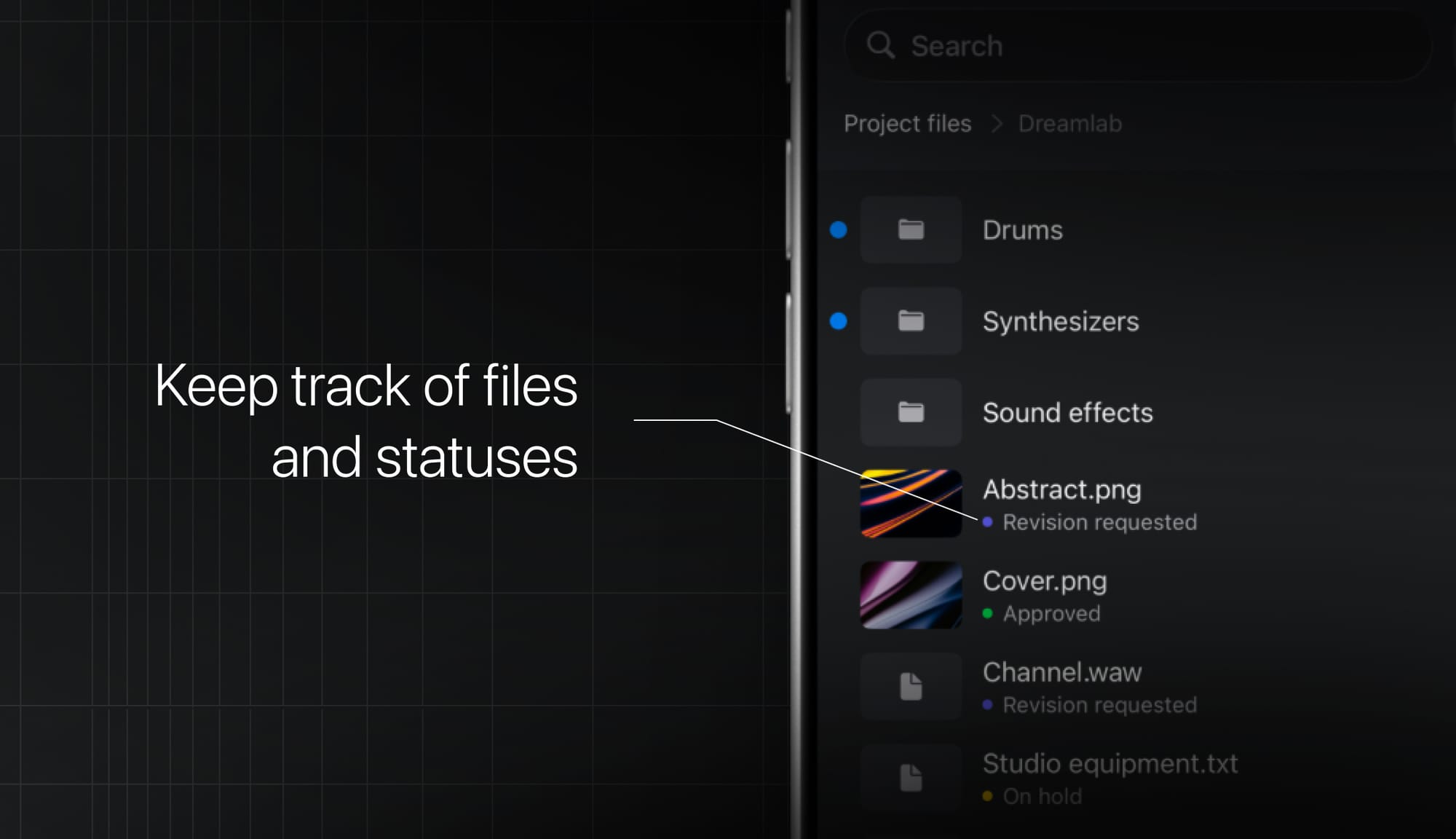
Track file status
Stay organized with clear file progress tracking. View what’s under review, approved, or awaiting changes for any file in any project.
Push notifications keep you updated
Get real-time alerts for:
- New uploads and comments
- Chat messages
- File status changes
- New members joining your team
You can manage notification preferences anytime in your Pibox web settings.
The future of creative collaboration is mobile
The redesigned Pibox iOS app redefines how creative professionals collaborate. It’s not just about mobility — it’s about maintaining full creative control no matter where you are.
From field recordings to final approvals, every step of your creative workflow now fits in your pocket. And because it’s part of the broader Pibox ecosystem, everything you do on mobile stays perfectly in sync with your studio workflow.
Your creative process deserves tools as flexible as your imagination. Download the new Pibox iOS app today and experience true creative freedom, anywhere you go.


Pibox is the easier, faster way to collaborate in real-time, collect feedback, manage reviews, share, and finish your projects effortlessly.


