


Sharing audio is where opportunity meets risk. The moment a demo leaves your hard drive, you introduce uncertainty around leaks, version confusion, and loss of ownership context. For modern music producers, secure sharing is not about hiding music. It is about maintaining control while collaborating at speed.
Below are the best practices that actually work for sharing audio securely, without slowing momentum or damaging trust. These are the same principles used by professional music teams, labels, and sync-focused producers.
Why sharing is the most vulnerable moment in the workflow
Most leaks and disputes do not come from hacks. They come from everyday habits. Public links, forwarded emails, lost context, and unclear versions.
In The Recording Industry, media scholar David Hesmondhalgh notes that creative value is often lost not at the point of creation, but “during informal circulation, where authorship and intent are stripped away.” This is exactly what happens when your music is shared without structure.
Secure sharing means protecting not just the file, but the conditions around the file.
Best practice 1: Avoid public links for unreleased music
Public links are easy to share and impossible to control. Once forwarded, you cannot see who accessed them or revoke access effectively.
For unreleased beats, public links should be considered a last resort. Secure sharing requires:
- Private, authenticated access
- The ability to revoke access instantly
- Visibility into who has listened and when
Platforms like Pibox are built around private sharing by default, ensuring that beats never float freely without accountability.
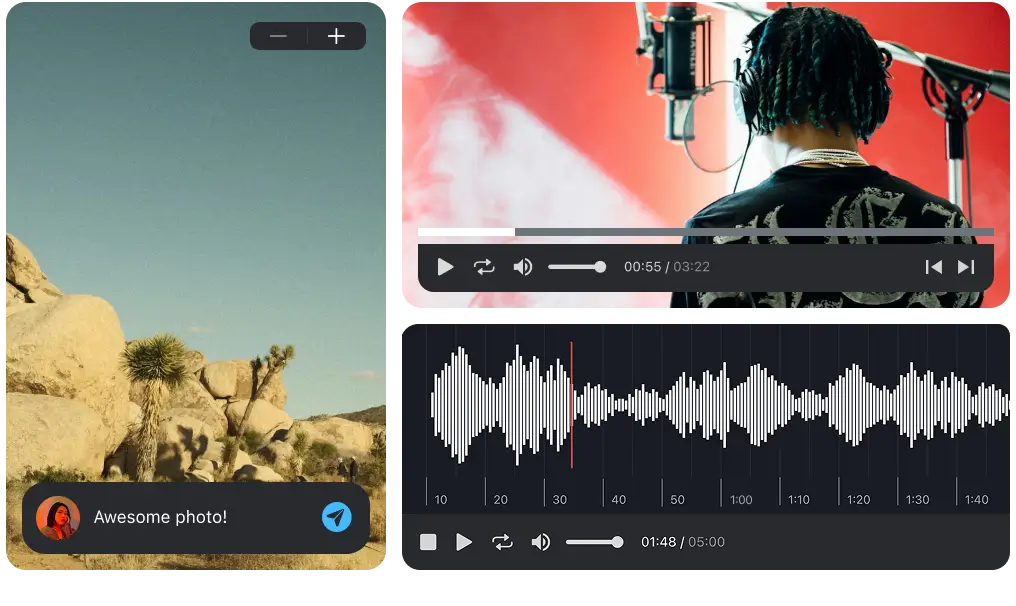
Easy, fast, and secure way to collaborate in real-time, collect feedback, manage reviews, share, and finish your projects effortlessly.
Best practice 2: Share files, not folders
Folders expose more than intended. One shared folder often contains drafts, alternates, or unrelated ideas.
Professional sharing happens at the file level. Each beat or demo should have its own access rules. This limits exposure and reduces the chance of accidental leaks.
Cybersecurity expert Bruce Schneier describes this as “least privilege access” in Secrets and Lies. Give collaborators access only to what they need, nothing more.
Best practice 3: Keep feedback and files together
When feedback lives in emails, DMs, or notes apps, it becomes detached from the file it refers to. This leads to misunderstandings and version chaos.
Secure sharing means:
- Comments attached directly to the beat
- Time-based feedback that cannot be misinterpreted
- A clear history of what was said and when
Pibox stores feedback, comments, and file versions together, so context never leaves the beat itself.
Best practice 4: Protect metadata as much as audio
Metadata is not optional. It is proof of process, authorship, and intent. Metadata includes:
- Upload timestamps
- Version history
- Approval states
- Contributor context
In Digital Copyright, Jessica Litman emphasizes that “creative works derive enforceable meaning from their surrounding data.” Losing metadata is how disputes begin.
Secure platforms ensure that metadata is preserved and cannot be altered by downloads and re-uploads.
Best practice 5: Control downloads intentionally
Not every listener needs a downloadable file. Early-stage sharing often requires listening and feedback only.
Best practice is to:
- Allow streaming by default
- Enable downloads only when necessary
- Remove download rights once decisions are made
This approach mirrors how labels and publishers evaluate material internally, and it dramatically reduces uncontrolled distribution.
Best practice 6: Maintain clear version ownership
Nothing undermines professionalism faster than version confusion. Secure sharing must make it obvious which version is current and which are archived.
Producer and author Richard James Burgess writes in The Art of Music Production that clarity around versions “protects relationships as much as it protects recordings.”
With proper version control, collaborators always know what they are hearing and what they are approving.
Why music producers use Pibox to share beats securely
Pibox is designed specifically for creative collaboration, not generic file exchange.
Music producers use Pibox to:
- Share audio privately without public links
- Control access at the file level
- Keep audio, feedback, and metadata in one place
- Track versions and approvals clearly
- Revoke access instantly when needed
Security is built into the workflow, not added as friction.

Pibox is the easier, faster way to collaborate in real-time, collect feedback, manage reviews, share, and finish your projects effortlessly.
Final thoughts
Sharing audio should open doors, not create anxiety. When you control access, context, and versions, collaboration becomes safer and faster at the same time.
The best producers do not share less. They share smarter. Secure sharing is not about distrust. It is about professionalism.


